
Help Managing your world
Removing a world
Removing is undoable for 7 days, and uninstalling the pack only takes out what BedrockRelay added.
Removing a world
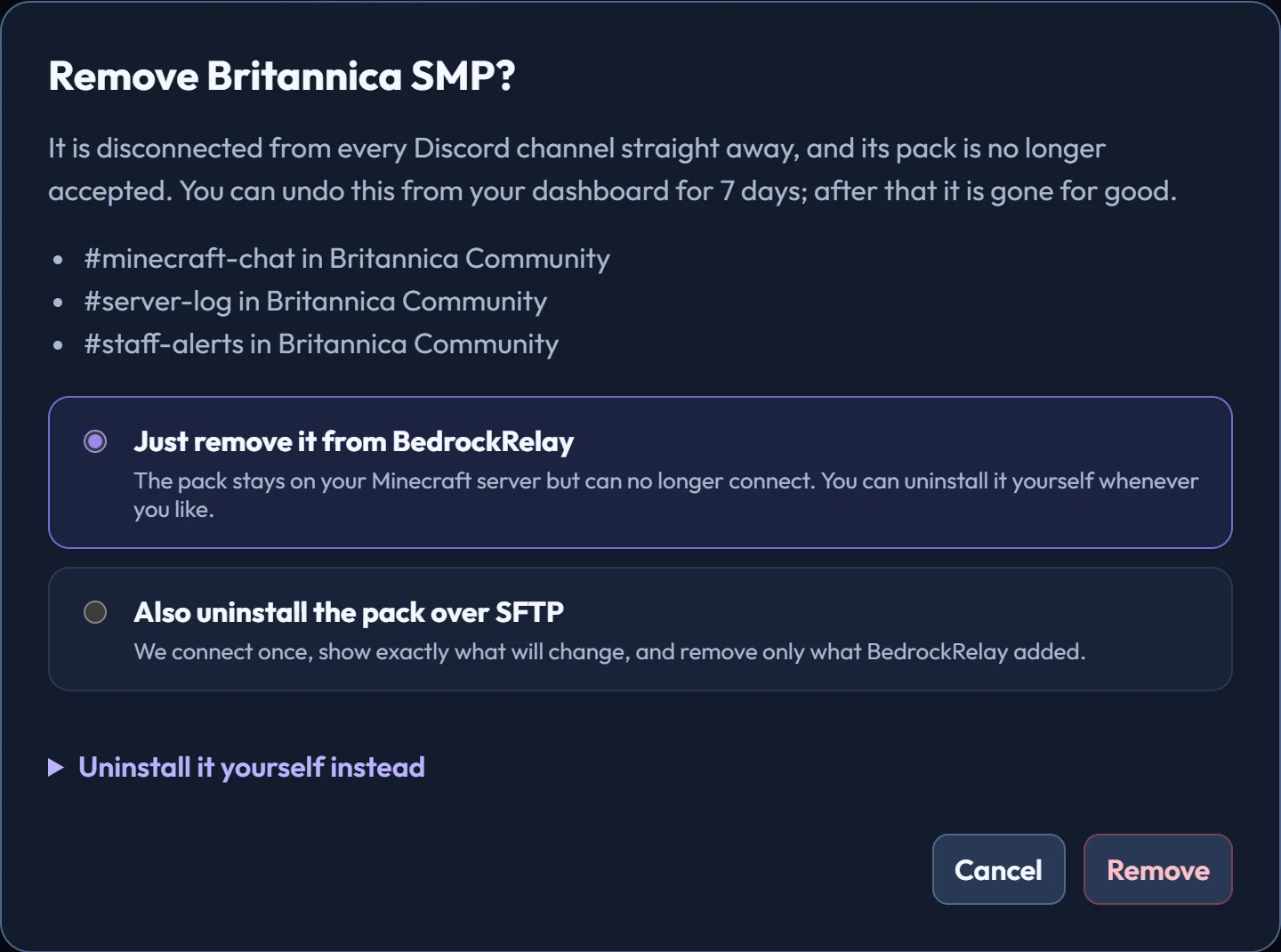
On the world's Settings tab, choose Remove…. It's disconnected from every Discord channel straight away, and its pack is no longer accepted. For a Realm, our bot leaves it.
Undoing it
For 7 days you can bring it back from Recently removed on the Overview, with its channels, rules and statistics just as they were, and nothing to reinstall. Its pack reconnects on its next check-in.
After 7 days it's deleted for good, including the webhooks the bot created in each channel. To delete it sooner, choose Delete forever beside Undo.
Taking the pack off your server
In the same dialog, choose Also uninstall the pack over SFTP. You see a preview first, just like installing. It removes only what BedrockRelay added and backs up every file it edits.
You can also turn Beta APIs back off for the world, if nothing else on it needs them. Achievements stay disabled either way: Minecraft never turns them back on once an experiment has been used.
Uninstalling by hand
- Stop your Minecraft server.
- Delete
development_behavior_packs/BedrockRelay. - In
worlds/<your world>/world_behavior_packs.json, delete the entry whosepack_idis6f2a7c14-4b98-4e2a-9c31-2f7a5d0e11b4, and keep the rest. - In
config/default/variables.json, delete the keys starting withrelay_, and inconfig/default/secrets.jsondeleterelay_token. If there's aconfig/c8e1d35a-90f7-4b6d-8a22-1d4b6e9f7c03folder, delete it. - Start your Minecraft server.
Leave config/default/permissions.json alone, because other packs may rely on it.
Ready to connect a world, or need to change something?
Open the dashboard