
Help Managing your world
Personality
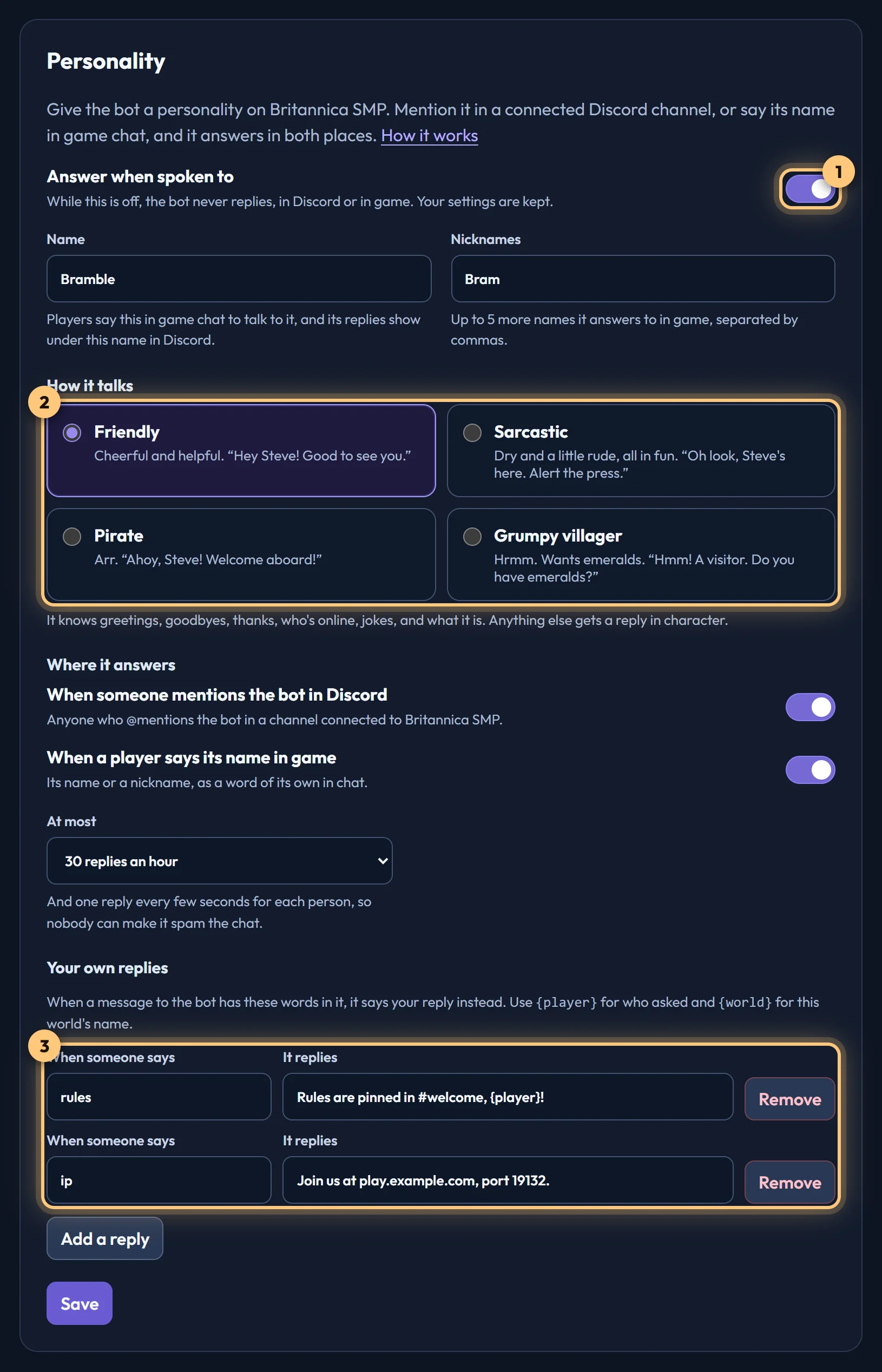
Give the bot a name and a way of talking. Players say its name in game chat, or members mention it in Discord, and it answers in both places.
What it does
With a personality switched on, the bot joins in the conversation:
- In Minecraft, a player says its name (or one of its nicknames) in chat, like
hi RelayorRelay, who's online?. - In Discord, someone @mentions the bot in a channel connected to the world.
It answers in the game and in the Discord channels that show the world's chat, so everyone sees both sides. In Minecraft its replies show like a Discord message, under its name in gold.
It knows greetings, goodbyes and thanks, who's online, jokes, and what it is. Anything else gets a reply in character. It answers in your Discord server's language where there's a translation, and in English where there isn't one yet.
Setting it up
Open your world's Personality tab on the dashboard. Only the world's owner sees it.
- Give it a name. This is what players say to talk to it, and the name its replies show under in Discord. Add nicknames if players will call it something shorter.
- Choose how it talks: Friendly, Sarcastic, Pirate or Grumpy villager.
- Choose where it answers: when it's mentioned in Discord, when its name is said in game, or both.
- Switch on Answer when spoken to, at the top of the tab.
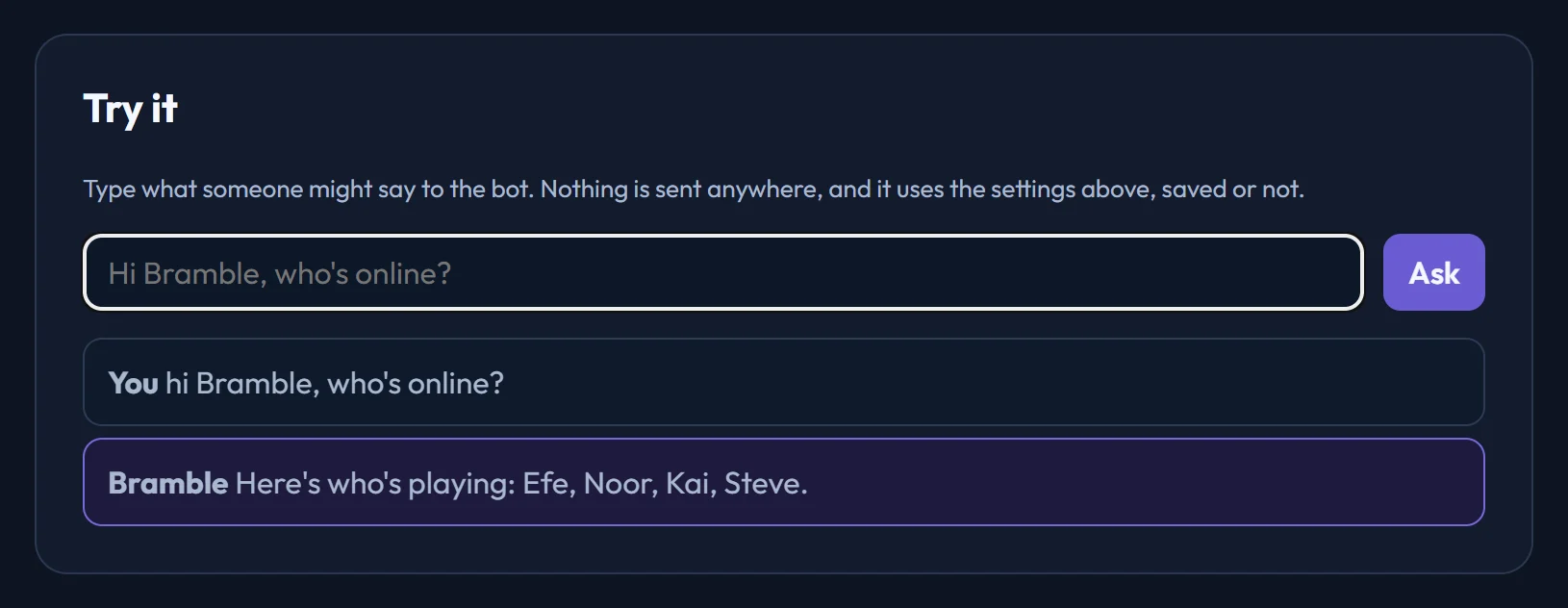
Try it before players do. Type something into Try it at the bottom of the tab to see what the bot would say. Nothing is sent anywhere, and it uses whatever is on the form, saved or not.
A personality is off until you switch it on. Switch Answer when spoken to off again at any time: the bot then never replies, in Discord or in game, and mentions of it in game show its usual name. Your settings are kept for when you switch it back on.
Your own replies
Teach it answers of your own. Each one is a few words to listen for and what to say back: when a message to the bot has those words in it, it says your reply instead. For example:
| When someone says | It replies |
|---|---|
rules | Read the rules in the welcome channel, {player}! |
ip | Join us at play.example.com, port 19132. |
discord | You're looking at it, {player}. |
Write {player} for whoever asked, and {world} for your world's name. A world can have up to 20 of these. They're checked first, before the bot's own answers.
Keeping it from spamming
- Each person gets one reply every few seconds at most, so saying its name over and over gets one answer.
- It answers at most so many times an hour in each world. Choose 10, 30, 60 or 120 on the Personality tab.
- It never answers itself, other bots or webhooks, so two connected channels can't keep it talking.
- When the world's relaying is switched off, it stays quiet too.
Ready to connect a world, or need to change something?
Open the dashboard