
Help In Discord
Proximity voice
Players who are close together in Minecraft share a Discord voice room. Walk away, and you're moved out.
How it works
Proximity voice puts linked players into private Discord voice rooms with the people near them in Minecraft. It's opt-in: nobody is moved unless they join the proximity lobby themselves.
- BedrockRelay moves nearby players into a private room. When they move apart, change dimension, leave the world or leave proximity voice, it moves them back to the lobby.
- Distance is measured in three dimensions. Groups are connected: if Alex is close to Blake and Blake is close to Casey, all three share one room, even if Alex and Casey are a little farther apart.
- Players already sharing a room stay together until they're 4 blocks past the distance, so standing right at the edge doesn't bounce anyone around.
- Rooms nobody has used for two minutes are deleted.
Setting it up
- Update the pack if needed. Proximity voice needs pack v0.5.0 or newer, because older packs don't say where players are. The dashboard offers Update pack until the world has one.
- Create the channels. Open the Discord server in the dashboard and go to its Proximity voice tab. Set the chat radius in blocks, and choose Create channels and enable. BedrockRelay creates its own category and a silent voice lobby, and manages them from then on.
- Players link their accounts with
/relay link, so BedrockRelay knows who's who. - Players join the lobby while they're playing. The lobby is silent: joining it just means they want to take part.
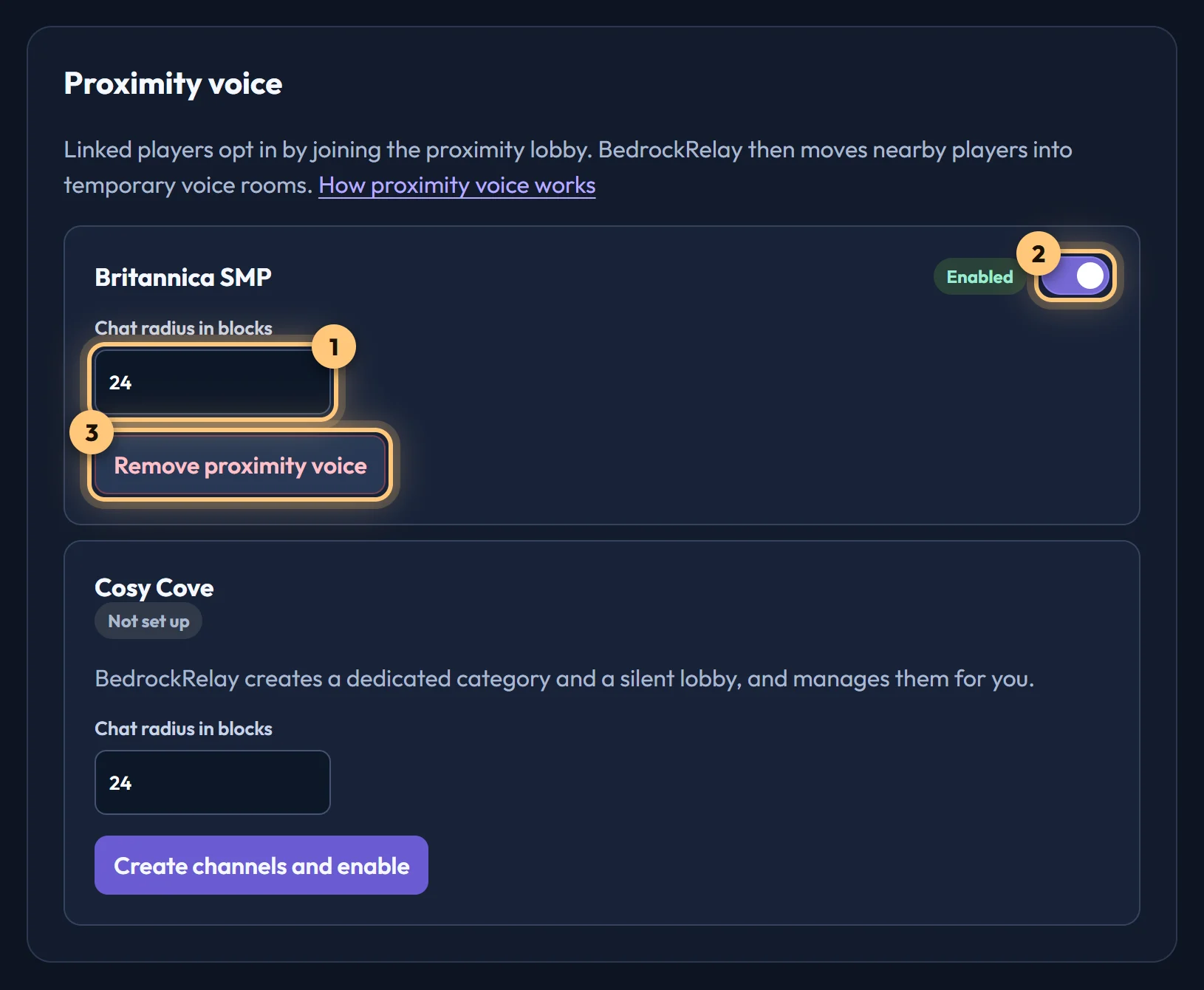
Remove proximity voice deletes the category, lobby and every room.
Permissions
BedrockRelay needs View Channel, Manage Channels, Move Members and Connect in the Discord server. If it was added before proximity voice existed, the card asks you to approve its permissions again.
It never asks for Manage Roles: it sets each channel's permissions when it creates it. Discord server administrators can still talk in the lobby, because Discord lets Administrator override any channel's permissions.
If someone deletes the category or lobby in Discord, the card shows Channels missing. Remove proximity voice, then create it again.
Ready to connect a world, or need to change something?
Open the dashboard