
Help Managing your world
FarmBot
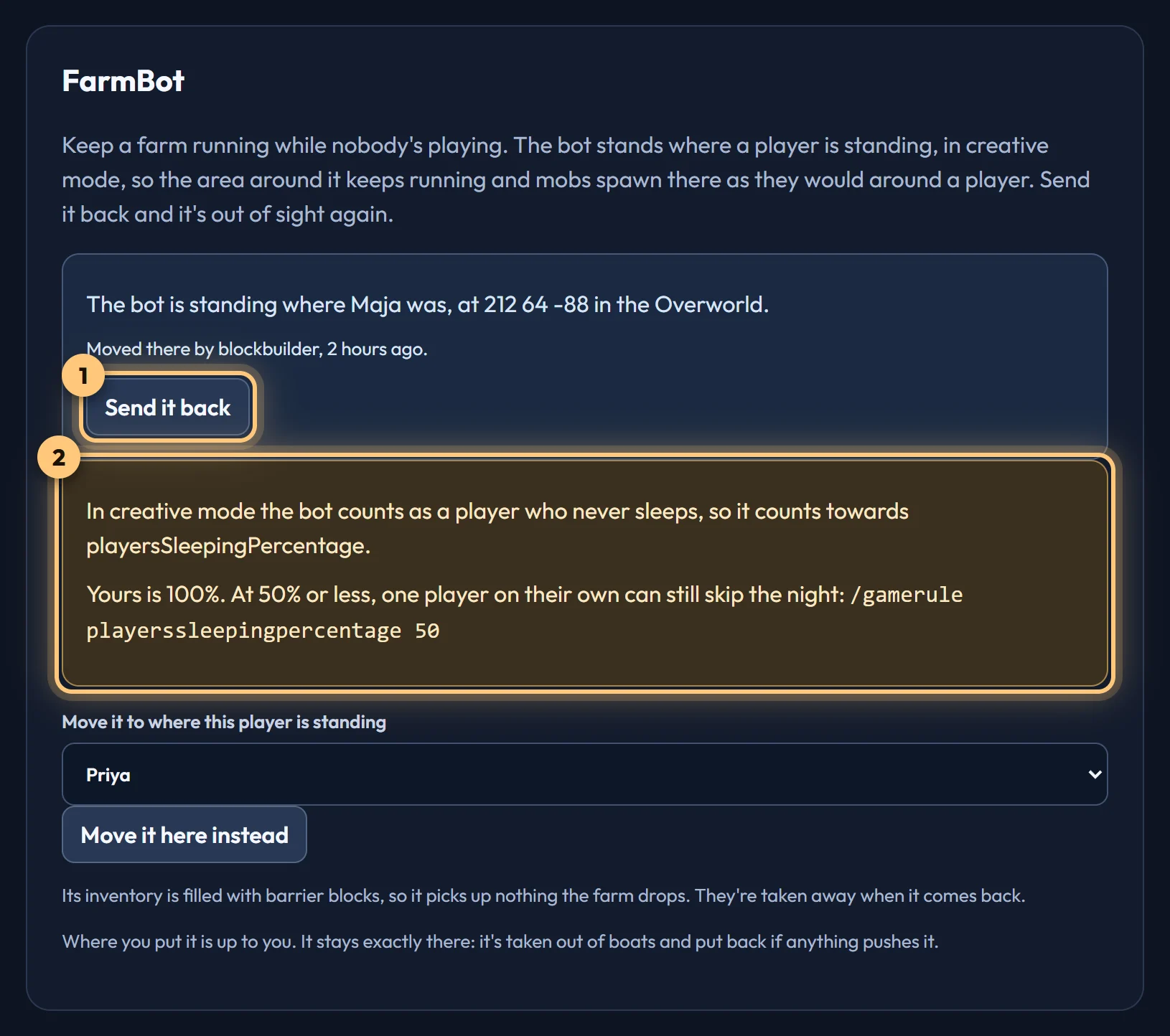
A player standing at your farm while nobody's playing, so mobs keep spawning and the area keeps running.
What it does
Minecraft only runs the area around a player, and mobs only spawn near one. FarmBot stands where you choose, in creative mode, so a farm there keeps working while everyone's away. It has to be creative: mobs don't spawn near a spectator.
- On a Realm, FarmBot is our bot, which is in your Realm anyway. It moves from its hiding place in the End to your farm.
- On a dedicated server, FarmBot is a separate pack, BedrockRelay FarmBot, which you add from the dashboard. See On a dedicated server.
Moving it to your farm
- Stand where you want FarmBot to be, in the world.
- On the world's Settings tab, under FarmBot, choose yourself and press Move the bot. Or, in Discord, use
/relay farmbot movewith your gamertag. - FarmBot comes to that spot, in creative mode, and stays there. Send it back (or
/relay farmbot home) takes it away again.
- Where you put it is up to you. It stays exactly there: if anything pushes it, or puts it in a boat or minecart, it's put straight back, and if it's moved to another dimension it's brought back.
- Its inventory is filled with barrier blocks, so it doesn't pick up what your farm drops. They're taken away when it's sent back. On a Realm where you use your owner account as the bot, its inventory is left alone, so it may pick up items.
- The player you choose has to be in the world at the time.
- You can always move it. To let others do it from Discord, choose their roles under FarmBot on the world's Permissions tab.
Sleeping through the night
In creative mode FarmBot counts as a player who never sleeps, so it counts towards the playersSleepingPercentage game rule. At 100% (Minecraft's default) nobody can skip the night while it's there. At 50% or less, one player on their own still can:
/gamerule playerssleepingpercentage 50The Settings tab shows your world's setting while FarmBot is out.
On a Realm
- It needs the Realm pack v1.4.0 or later.
- FarmBot needs our bot to stay in the Realm, so it can't be used with Leave when nobody's playing.
On a dedicated server
A server has no bot of ours, so FarmBot is a simulated player from a separate pack, BedrockRelay FarmBot. It's separate on purpose: some hosts don't allow the part of Minecraft it needs, and if yours doesn't, only FarmBot won't load. BedrockRelay carries on exactly as before.
- Update the BedrockRelay pack to v0.11.0 or later, if it's older.
- On the server's Settings tab, under FarmBot, choose Add FarmBot to this server. It connects over SFTP, like the rest of setup, and shows what it will change before it changes anything.
- Restart the server. The FarmBot card then says whether FarmBot has loaded.
- Move it to your farm as above.
Before you add it, know this:
- Other addons can't read it. To every other addon on the server, a simulated player is a player with nothing in it. Minecraft works that way, and no pack can change it. Well-made addons check for this, but one that doesn't may log errors or stop working properly while FarmBot is in the world. Send FarmBot back and they're fine again. BedrockRelay and its plugins check for it.
- It takes a player slot while it's there. On a full server it can't join, and the card says so; it tries again every 30 seconds.
- It comes back by itself after a restart.
- If the card says FarmBot hasn't been heard from after a restart, your host may not allow it. Ask them whether
@minecraft/server-gametestis allowed.
To take it off, choose Remove FarmBot from this server. Uninstalling BedrockRelay removes it too.
Ready to connect a world, or need to change something?
Open the dashboard