
Help In Discord
Slash commands
Five commands for things you do from inside Discord, and how to let people run Minecraft commands.
The /relay commands
Everything that configures BedrockRelay is on the dashboard. These commands are for things you do in Discord, in a channel connected to a Minecraft world. Plugins add more.
| Command | Who | What it does |
|---|---|---|
/relay online | Anyone | Shows who's playing in this channel's Minecraft worlds. |
/relay run | Allowed roles | Runs a Minecraft command, if it's been allowed. See below. |
/relay link | Anyone | Links your Discord account to your Minecraft player, or shows and undoes your link. See Linking accounts. |
/relay dashboard | Manage Server | A private link to this Discord server's dashboard page, and a list of what's connected here. |
/relay disconnect | Manage Server | Disconnects this channel from its Minecraft worlds straight away, whoever owns them. Your emergency brake. |
Command descriptions appear in each member's own Discord language.
Running Minecraft commands from Discord
/relay run refuses everything until you allow specific commands. Open the Minecraft world's page in the dashboard, go to the Commands tab, and add a rule for each command, such as weather, time or say.
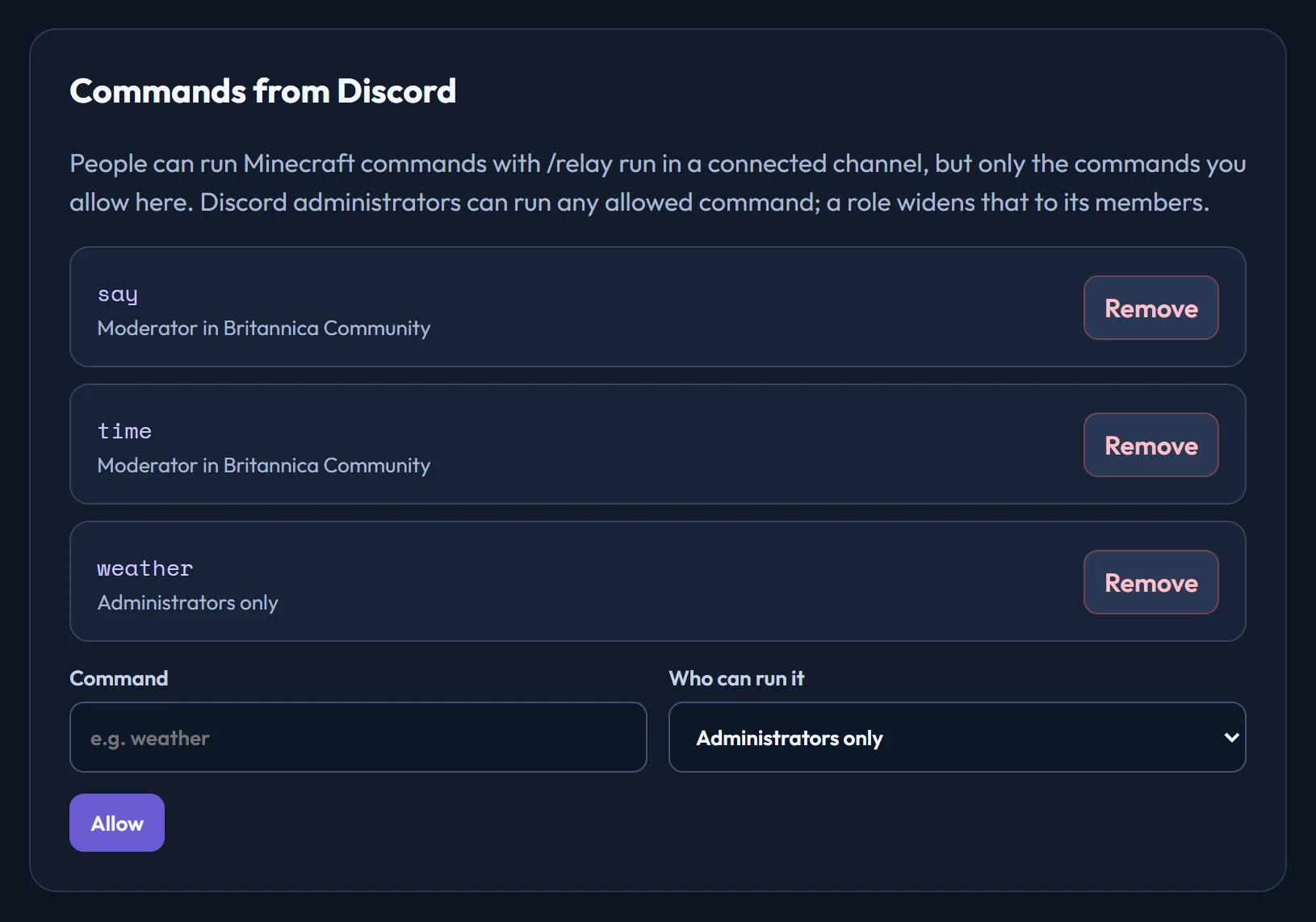
- Administrators only lets anyone with Discord's Administrator permission run it.
- Choosing a role also lets that role's members run it. Roles come from the Discord servers the world is connected to.
*allows every command, includingop,deopandstop. Only pair it with a role you trust completely.
Type the command without its slash: /relay run command: weather clear. The answer shows what Minecraft replied. If the channel relays more than one Minecraft world, choose which with the world option.
Only the world's owner can change these rules.
Ready to connect a world, or need to change something?
Open the dashboard